From the Portal login:
- Click on the Companies Number link
- Click on the "View" of the company you want to configure/change Domain settings
- Click on the PBX ACCOUNTS icon
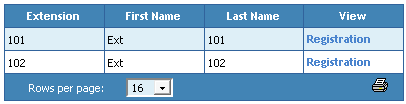
- On the menu to the left, click on Registrations under Phone Accounts
- Click on the View Registration link for the extension you want to check
The registrations link displays whether a device has successfully registered with the PBX. This is very useful when troubleshooting networking and configuration issues.
Select the registration link for the desired extension.